AI Product Design
UX Research
A wellness-centric, AI-enabled study companion designed for students working through Open Educational Resource course materials — shipped and hosted live on Vercel as part of a multi-phase SUNY Innovative Instructional Technology initiative.

Impact
Ease-of-use scores on AI-assisted learning tools
A companion built for the moments students almost give up.
The SUNY OER initiative set out to support students studying on open educational platforms — learners who have the content, but often lack the motivational scaffolding to persist through it. I joined as the UX and Product Designer, shaping the experience from discovery through a shipped live application — part of a multi-phase SUNY Innovative Instructional Technology initiative designed to help students study longer without burning out.
7
core pain points identified in
student research
6
feature pillars designed
across the companion
system
Live
application shipped and
hosted on Vercel
5
design phases from
discovery through
deployment

The Problem
OER platforms deliver content. They don't deliver motivation.
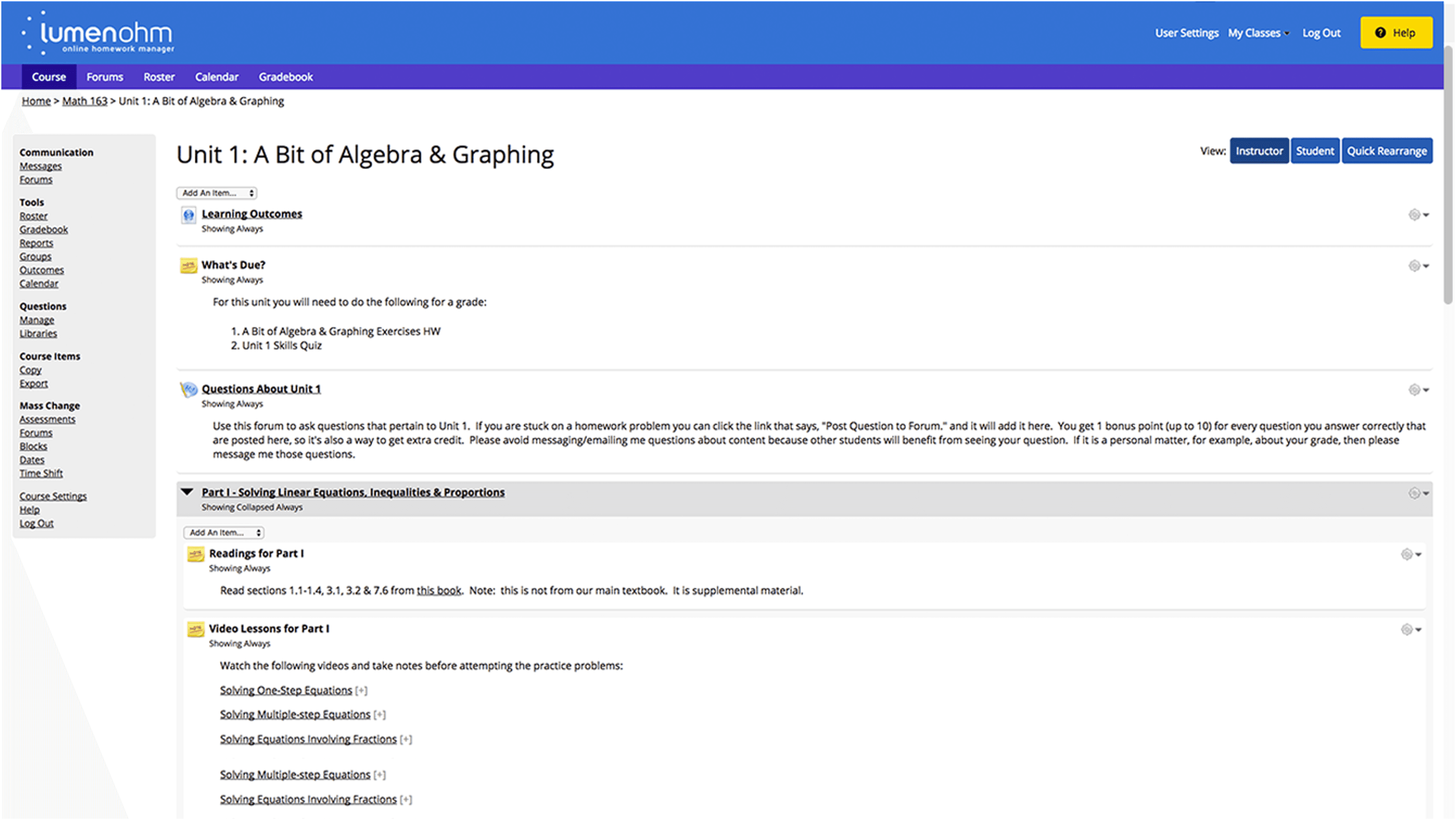
Students using Open Educational Resources consistently hit the same wall: they have access to quality material, but nothing to help them stay in the room when things get hard. Traditional learning platforms are built around content delivery, not emotional support or behavioral engagement.The result is a pattern of disengagement — students pause, lose momentum, and often don't return. The design also needed to serve students with blindness, motor disabilities, and emotional regulation challenges — making accessibility a core constraint from the start, not an afterthought.
What students were experiencing
What the design needed to address
The Approach
From research through build — owning the full design process.
As the product designer embedded in the project team, I drove the experience from initial discovery to engineering handoff — defining the interaction model, designing the UX, and collaborating closely with stakeholders and development partners throughout.
01
Discovery & Research: Conducted ethnographic observation and contextual inquiry with first- and second-year college students enrolled in introductory OER courses. Research goals: understand how students interpret scheduled check-ins, evaluate AI hint effectiveness, assess motivational impact of tokens and breaks, and identify barriers to adoption. Synthesized
findings into structured student pain point maps and user personas.
02
Journey Mapping: Mapped the full student study journey to identify the specific moments where motivation tends to decline during independent learning. This became the strategic foundation for where and how the Motivational Learning
Companion would intervene — making it a contextual support tool rather than a blanket distraction.
03
Interaction Model & Concept Design: Developed initial proof-of-concept explorations for both desktop and mobile, defining how students would trigger motivational support, how the AI would respond contextually, and how the interface could feel supportive without being intrusive. Key decisions here shaped the entire product's behavioral logic.
04
Detailed Design & Prototyping: Built two Figma prototype iterations (Condition A: baseline; Condition B: post-heuristic refinement). Conducted an unmoderated remote usability test with 5 participants across 7 task flows. Task ease-of-use ratings on a 1–7 scale yielded 60–80% of responses at 6–7 across core flows. Learnings shaped the final design — particularly around copy tone, check-in timing, and the framing of breaks as intentional recovery moments.
05
Build & Implementation Collaboration: Created Figma design specifications for the development team and collaborated with engineering partners to validate implementation against design intent. The application was built on Next.js and TypeScript with Tailwind for styling, Prisma for the database layer, deployed on Vercel (frontend) and Render (backend) — a fully responsive web app accessible in any modern browser.

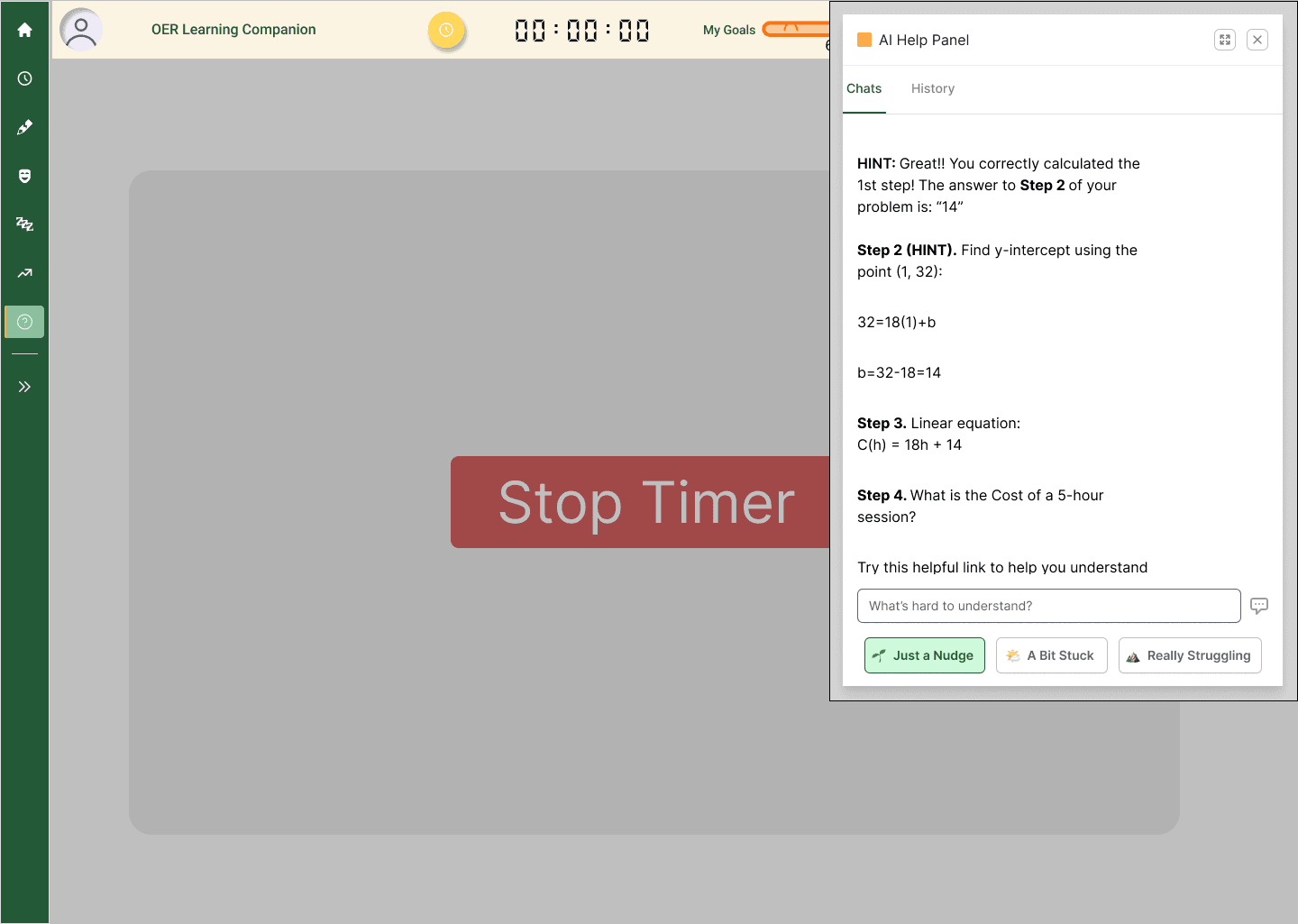
Early concept screens and explorations.
Research & Testing
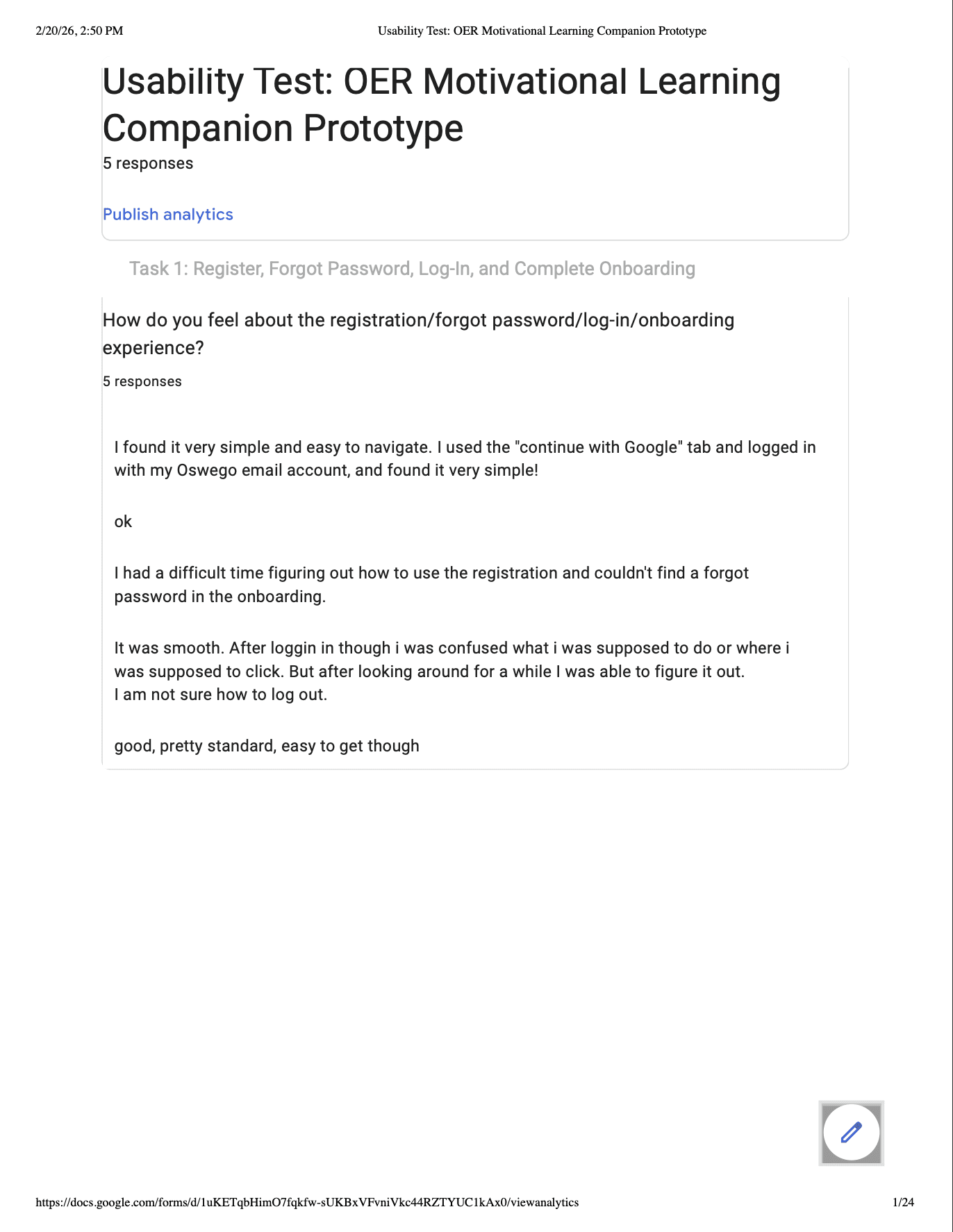
Usability study across 7 task flows — 5 participants, 1–7 ease ratings.
An unmoderated remote usability test (n=5) evaluated both prototype iterations (Condition A: baseline; Condition B: post-heuristic refinement). Participants were first- and second-year college students using OER for introductory coursework.Each task was rated on a 1–7 ease scale alongside open-ended qualitative questions.

Usability tests completed via Google Forms


Analysis & Synthesis


7 Themes from Affinity Mapping
Students Need Clear Session Control
Desire to clearly start, stop, and pause; confusion when session state is unclear; strong reliance on timers.
Emotional Support Must Feel Optional
Check-ins appreciated when supportive; frustration when prompts interrupt or feel forced.
AI Help Must Protect Learning Integrity
Preference for hints over answers; desire for transparency; concern about over-reliance.
Cognitive & Emotional Fatigue Are Barriers
Need for permission to pause without guilt; breaks as emotional reset, not avoidance.
Motivation = Effort Recognition, Not Performance
Value on streaks and consistency; anxiety when summaries feel evaluative.
Customization Signals Respect
Desire for dark mode and visual comfort; resistance to upfront configuration.
Long-Term Use Needs Sustainability
Desire for gentle accountability; focus on routine over novelty.
The Solution
A lightweight AI-enabled companion web app that supports students through the moments they almost give up.
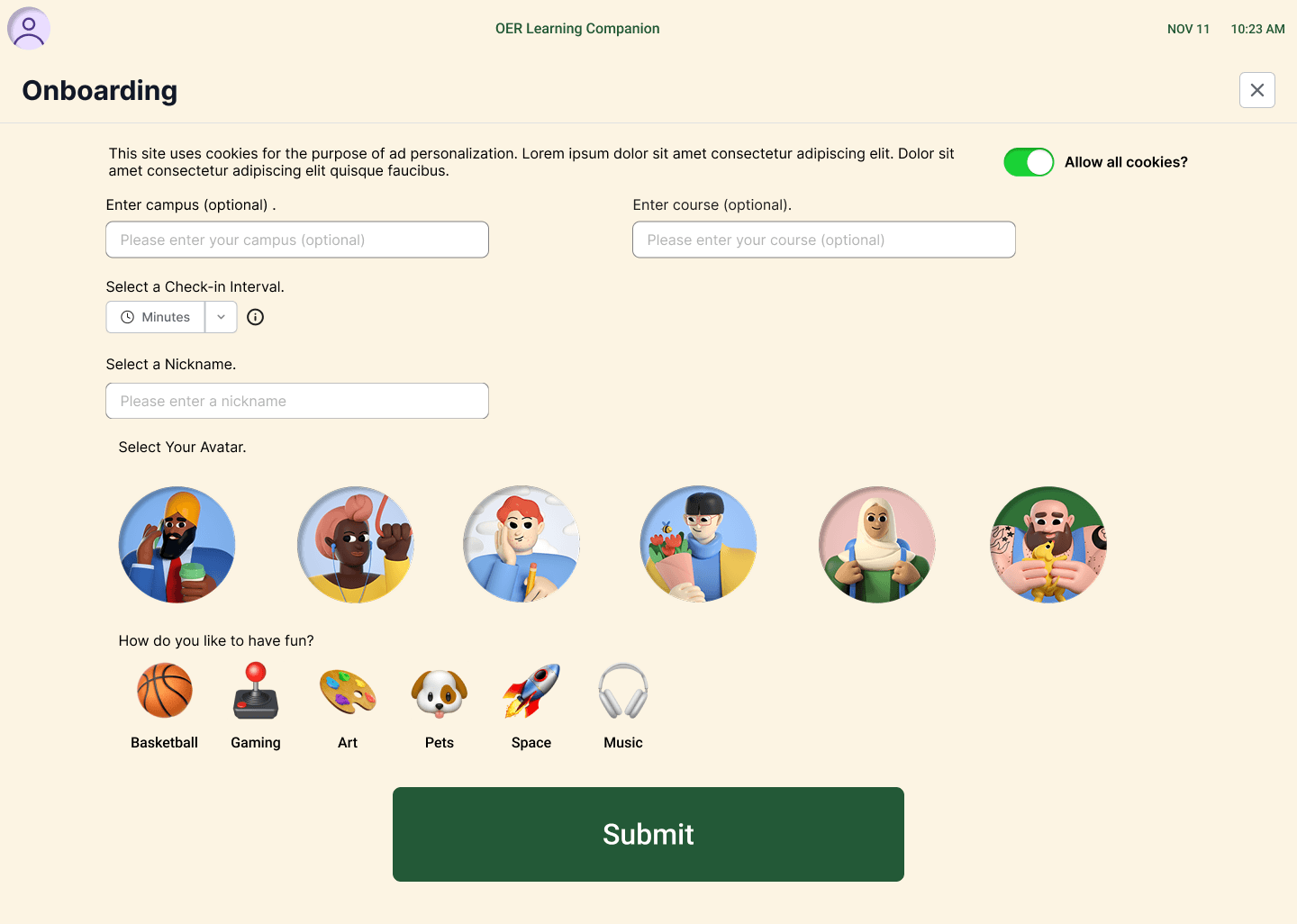
The OER Motivational Learning Companion is a browser-based companion that runs alongside any OER learning platform — not replacing it, but wrapping it with the motivational scaffolding it lacks. Students set a goal, start a timed session, and the app supports them throughout with optional AI-generated guidance, scheduled check-ins, and a reward system tied to effort rather than performance.
The key design decision was making every intervention optional and dismissible — check-ins can be skipped, breaks are framed as recovery rather than failure, and the AI assistant responds to what students ask rather than interrupting unprompted. The gamification layer reinforces consistency, not grades.
Session-Based Structure
Students set a goal — time or modules — and launch a focused session with a visible countdown timer and progress indicator.
AI Study Assistant
Contextual AI that never gives the final answer — teaches concepts at an abstract level. Support levels 1–3 range from loose guidance to closer abstract mentoring.
Dismissible Check-Ins
Periodic emotional check-ins let students indicate how they're doing and choose whether to receive support — agency
over pressure.
Breaks as Recovery
Breaks are framed as intentional recovery moments with short timers and encouraging copy — not failures to be minimized.
Effort-Based Rewards
Study Tokens, streaks, and badges tied to time spent and consistency — not scores — reinforcing a healthy work–reward loop.
Session Summary
End-of-session summaries focused on time, consistency, and engagement — reinforcing that showing up matters more than performance.
The Optimized UI — Recommendation and rationale based on the findings
Selected Screens — Final Design Review

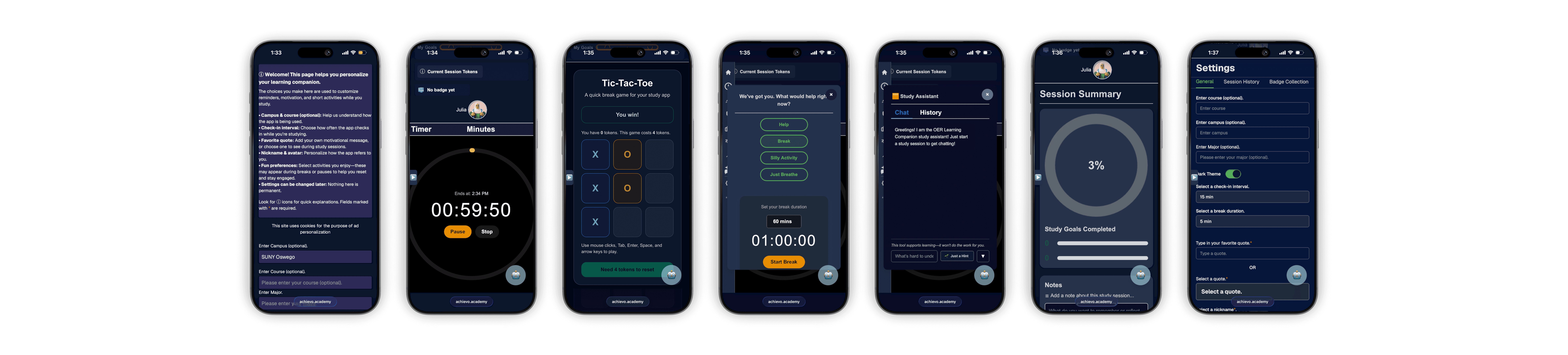
Goal Setup & Active Timer
Session-based studying entry point
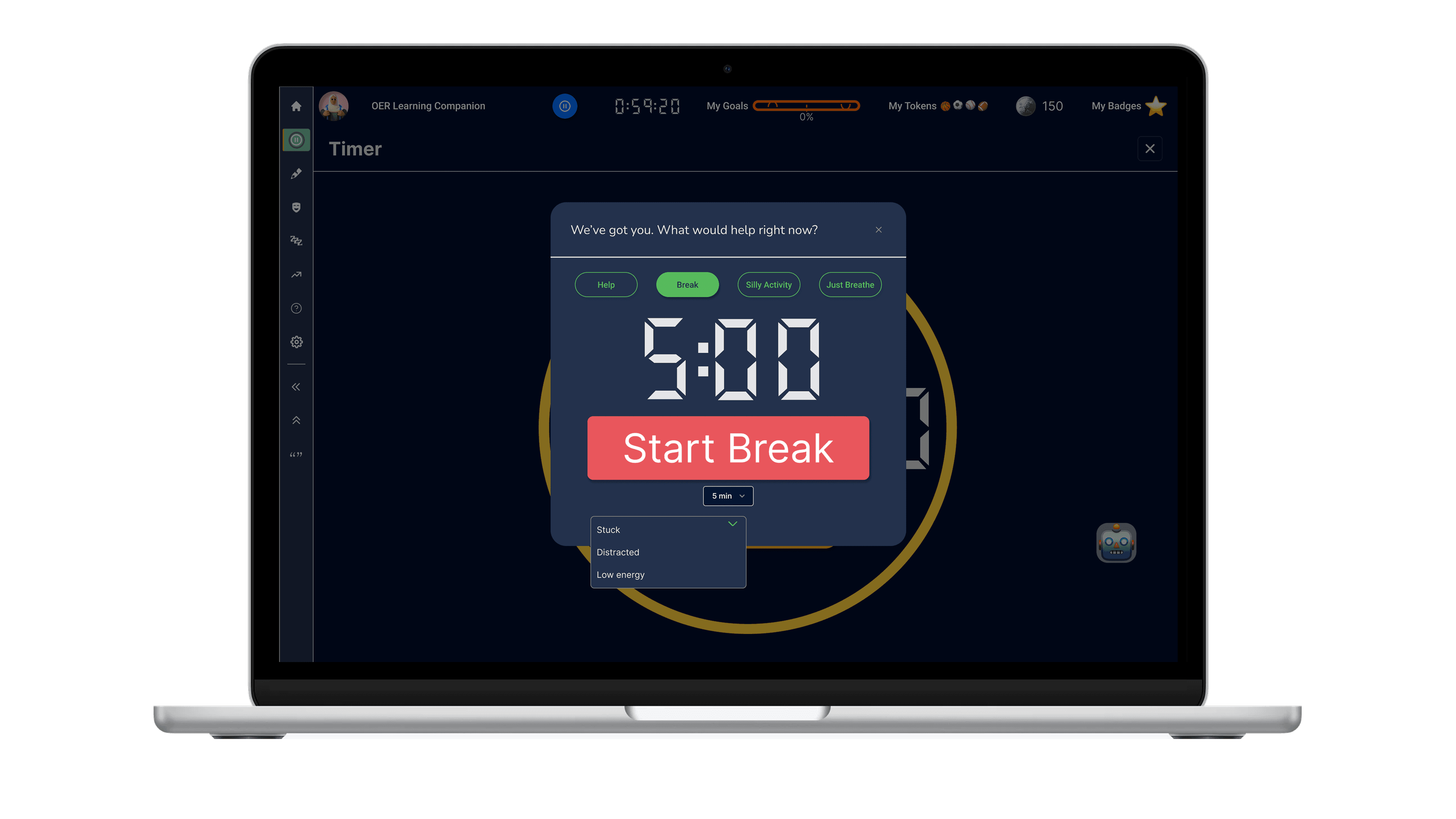
Strategic AI Design
Identifying specific use cases where AI adds value to balance automation with user control, ensuring AI is applied strategically
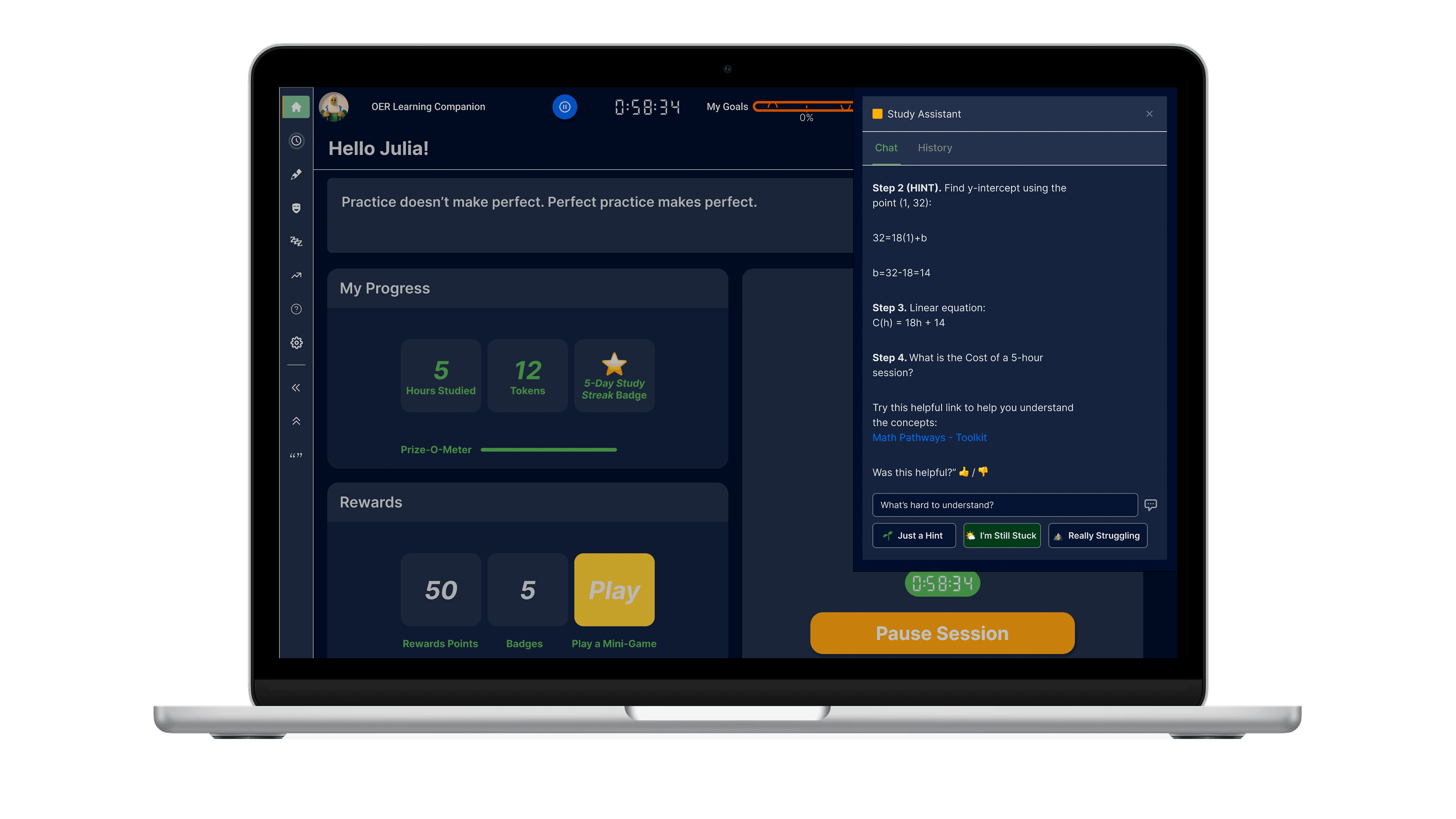
AI Study Assistant
Hint and stepped guidance states

Session Summary
Tokens, streaks & positive framing
The Impact
A companion experience that balances structure, empathy, and play.
I led UX design and research for a SUNY-funded AI-assisted OER motivational learning companion app — spanning concept, prototype, and usability validation. Designed a scaffolded AI hint system; conducted contextual inquiry, heuristic evaluation, and A/B testing across two prototype iterations, achieving 60–80% ease-of-use scores across core task flows. Synthesized findings into actionable design improvements, driving cross-functional alignment across a 6-person interdisciplinary team.
Impact
Ease-of-use scores on AI-assisted learning tools
Autonomy over alerts
Motivation tools that respect student agency perform better than those that impose structure. Every intervention was designed to be dismissible and optional.
Emotional safety as a design constraint
Framing check-ins as non-evaluative and breaks as intentional recovery changed how students engaged with the system — reducing anxiety rather than adding pressure.
Effort over performance in gamification
Badges and rewards tied to consistency and time spent — not scores — kept the motivation system aligned with growth mindset principles and student wellbeing.
Accessibility constraints produce better design
Designing for blindness, motor disabilities, and emotional regulation from the start — not as an edge case — forced cleaner interaction patterns, better keyboard navigation, and copy decisions that served every user, not just the ones with full